LinkedIn Profile Photo Guide: Stand Out Professionally
Your LinkedIn profile photo is 14 times more likely to be viewed than any other section of your profile. With over 900 million professionals on the platform, standing out with a polished headshot is essential for networking, job searching, and building your professional brand.
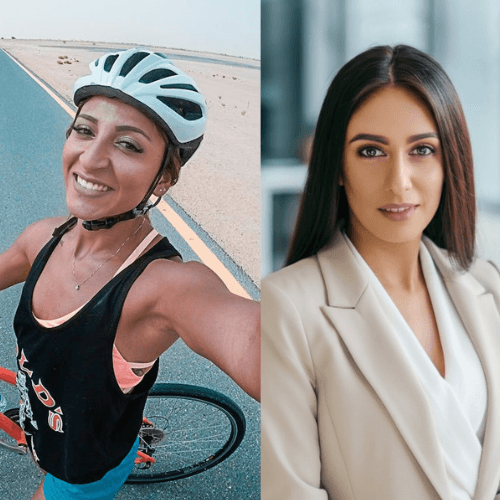
Why Your LinkedIn Photo Matters
LinkedIn profiles with professional photos receive 21 times more views and 36 times more messages than those without. Recruiters spend an average of 7.4 seconds reviewing a profile, and your photo is the first thing they see. A professional headshot signals credibility, attention to detail, and seriousness about your career.
LinkedIn Photo Requirements
LinkedIn recommends a square photo between 400x400 and 7680x4320 pixels. The ideal size is 800x800 pixels. Your face should take up about 60% of the frame. Supported formats are JPG, GIF, and PNG with a maximum file size of 8MB.
What Makes a Great LinkedIn Photo
The best LinkedIn photos share common traits: a clean background, professional attire, good lighting, a genuine expression, and high resolution. Your face should be clearly visible, looking directly at or slightly off-camera. Current photos that accurately represent how you look today perform best.
Common Mistakes to Avoid
Don't use group photos, vacation snapshots, or heavily filtered images. Avoid sunglasses, hats, or anything that obscures your face. Skip the glamour shots — LinkedIn isn't Instagram. Also avoid outdated photos that don't represent your current appearance.
Creating a LinkedIn Photo with AI
AI headshot generators are becoming the go-to solution for professionals who need a polished LinkedIn photo quickly. Simply upload a selfie, choose a professional style (suit, turtleneck, blazer), and get a studio-quality result in seconds. This eliminates the need for expensive photo shoots while delivering consistent, professional results.
Optimizing Your Photo for Engagement
Test different headshots to see which gets more engagement. LinkedIn's photo analytics can show you how your profile performs. Consider A/B testing subtle variations — different backgrounds, expressions, or attire — to find what resonates with your network.