10 Professional Headshot Tips for a Perfect Photo
Your professional headshot is often the first impression you make in the business world. Whether it's for LinkedIn, your company website, or a conference bio, a great headshot can open doors. Here are 10 expert tips to help you nail your next professional photo.
1. Dress for Your Industry
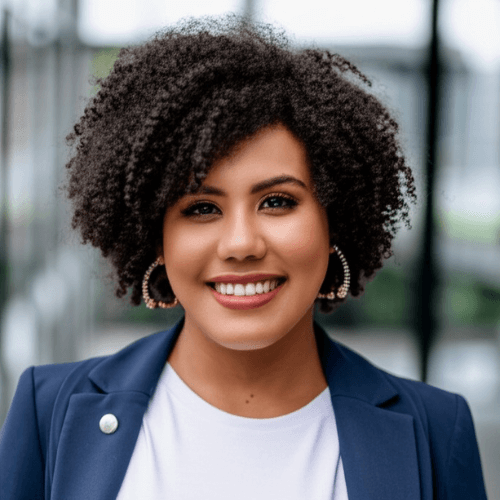
Your attire should match the expectations of your profession. For corporate roles, a suit or blazer works best. For creative fields, you can be more relaxed but still polished. Solid colors photograph better than busy patterns, and darker tones tend to look more professional. Avoid logos, distracting jewelry, or anything that draws attention away from your face.
2. Choose the Right Background
A clean, uncluttered background keeps the focus on you. Blurred office settings, solid colors, or subtle gradients are popular choices. Avoid busy environments that compete with your face for attention. Many professionals opt for a soft gray or muted blue background for a timeless look.
3. Perfect Your Lighting
Natural light is your best friend. Position yourself facing a large window for soft, even illumination. Avoid harsh overhead lights or direct sunlight that creates unflattering shadows. If shooting indoors, a ring light or softbox can provide professional-quality lighting without expensive equipment.
4. Mind Your Posture
Stand or sit up straight with your shoulders slightly angled to the camera. This creates a slimming effect and conveys confidence. A slight lean forward shows engagement, while pulling your chin slightly forward and down helps define your jawline.
5. Get the Expression Right
A genuine, warm smile works for most professionals. Think of something that makes you happy right before the shot. Your eyes should be engaged — a smile that doesn't reach your eyes looks forced. For more serious industries, a confident, approachable expression without a full smile can work well.
6. Use AI to Your Advantage
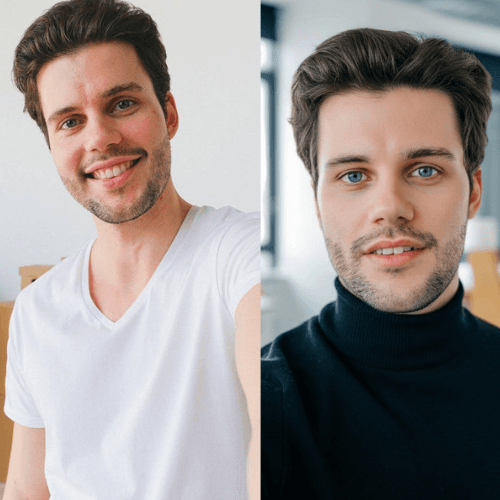
Modern AI headshot generators can transform a simple selfie into a studio-quality professional photo. This is perfect for those who need a quick, affordable headshot without booking a photographer. AI tools can adjust lighting, background, attire, and even enhance skin texture while keeping your natural features.
7. Frame It Right
A professional headshot typically shows from the chest up. Leave some space above your head and keep your face in the upper third of the frame. This composition feels natural and is optimized for most profile picture crops across platforms.
8. Consider Your Personal Brand
Your headshot should align with how you want to be perceived professionally. Think about the message you want to send — approachable, authoritative, creative, trustworthy. Every element from your expression to your attire should reinforce that brand.
9. Update Regularly
Your headshot should look like you do today. Update it at least every 2-3 years, or whenever your appearance changes significantly. An outdated photo can create an awkward first impression when someone meets you in person expecting someone different.
10. Invest in Quality
Whether you hire a professional photographer or use an AI headshot generator, invest in getting a great result. A pixelated or poorly lit photo sends the wrong message. High-resolution images ensure your headshot looks sharp across all platforms and print sizes.